
The X3Bet Login page is designed for quick access to your casino and sportsbook account. From here, you can sign in with your email and password, recover access if you’ve forgotten your credentials, or create a new profile in just a couple of steps. The login window is clean and minimal, so you can get back to slots, live casino, or sports betting without distractions.
To enter your account, use the Log In button in the top-right corner. A pop-up form opens with two fields: E-mail and Password. Once submitted, you’ll be taken back into the platform where you can manage your balance, open the cashier, claim bonuses, and track your bets.
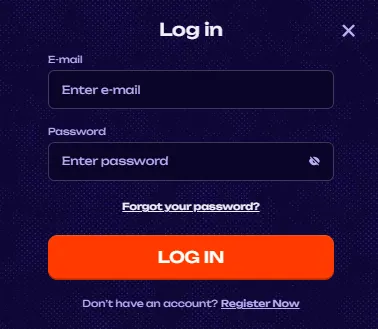
If you can’t remember your password, use the “Forgot your password?” link below the password field. This starts the recovery flow so you can reset your credentials and return to your account securely.
X3Bet uses a standard secure sign-in flow, but it’s still worth following basic best practices—especially if you play on shared devices or public networks.
If you don’t have an account yet, you can create one directly from the login window using “Register Now”. Registration begins with a simple form labelled Registration 1/2, which focuses on account setup and required confirmations.
At the first step, you enter your email and password, then confirm you meet the age requirement and accept the platform policies.
Then click NEXT STEP to continue the sign-up flow.
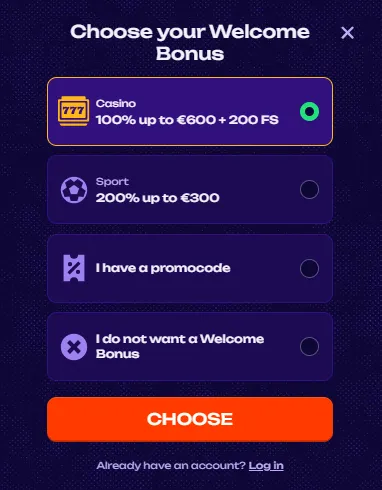
During registration, X3Bet lets you decide how you want to start. A “Choose your Welcome Bonus” window presents four options:
After selecting your option, click CHOOSE to confirm. This is useful if you want to focus on slots and free spins from day one, or if you prefer a sportsbook boost instead.
If you started registration but realise you already have a profile, you can switch back instantly using the Log in link shown in the registration/bonus windows.
If something goes wrong (no email received, login issues, or bonus not showing), the fastest option is typically Live Chat inside the site interface.